
Download SkyRender Desktop App V5.6.0
Your render farm, on your desktop. Install the plugin for your 3D app, send a scene, and watch frames arrive as they finish. No file juggling, no browser tabs.
Windows
v5.6.0Windows 10, Windows 11
Intel / AMD Architecture
macOS
v5.6.0macOS Catalina 10.15+
Apple Silicon (M1/M2/M3) & Intel
Not sure? Apple menu → About This Mac. A “Chip” line means Apple Silicon; a “Processor” line means Intel.
Linux
v5.6.0Ubuntu 18.04+, Debian, Fedora
Arch Linux & All Distros
Your Studio,
Perfectly Synced.
SkyRender Desktop is the client for the SkyRender farm. It detects the 3D applications installed on your machine and installs the matching plugin in one click, so you can send a render straight from Blender, Cinema 4D, Maya, 3ds Max or Unreal Engine.
Before a job goes out you see exactly what the scene contains — camera, frame range, resolution, output format, render elements — and you can change any of it without reopening the scene.
While the job runs you watch progress frame by frame, and finished frames land in your download folder automatically, part by part, instead of waiting for the whole job to end.
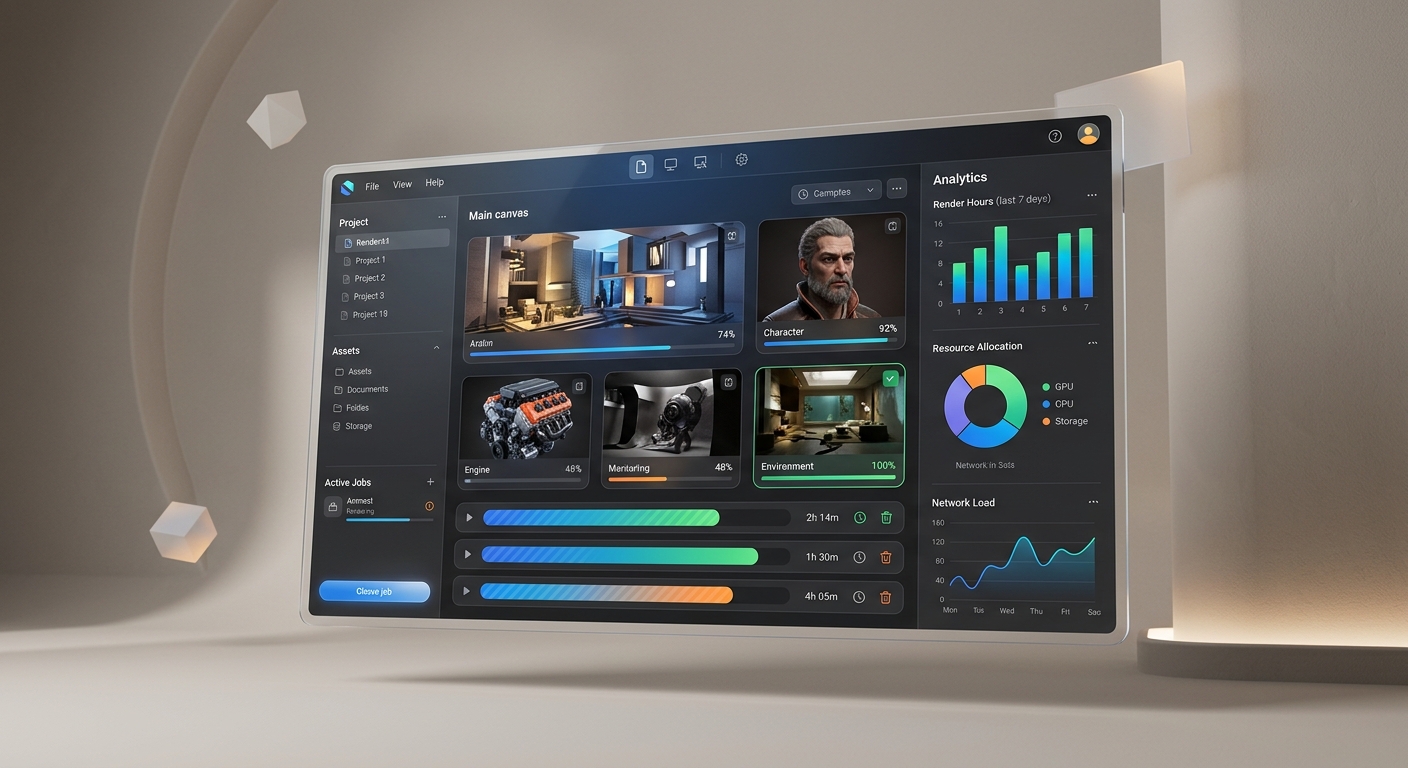
Professional Toolset
Everything you need to manage complex multi-frame projects without leaving your primary creative application.
One-click plugin setup
Your installed 3D applications are detected automatically. Install the plugin for each one — or all of them — from a single screen. Supported: Blender 3.6–5.2, Cinema 4D 2024–2026, Maya 2020–2025, 3ds Max 2018–2025, Unreal Engine 5.5–5.8.
Send with the settings your scene already has
The plugin reads your render settings and brings them with the job: camera, frame range, resolution, output format, render elements. Override anything before you send — the scene on disk stays untouched.
Choose your hardware
For Blender and Unreal Engine, pick the GPU your job runs on — RTX 3090, 4090 or 5090 — and how many nodes to open; Auto Start rents them for you the moment the job is submitted. Maya, 3ds Max and Cinema 4D have their machines assigned by the farm instead, and are billed for the CPU and GPU hours the render uses.
Watch it happen
Live progress per job and per frame, with elapsed time and running cost. Pause, resume or re-prioritise a job at any time.
Frames arrive while you work
Output downloads start as soon as each part of the job finishes, not at the end. Every job keeps its own destination folder, so changing your download location mid-render never splits a job in two.
Runs quietly in the background
SkyRender Desktop lives in the system tray and starts with your computer, so long renders keep delivering even when the window is closed.
System Requirements
Minimum and recommended specifications for optimal performance.
Windows & Linux
Processor
Intel Core i5 / AMD Ryzen 5
Memory
8GB RAM (16GB Rec.)
Storage
500MB Free Disk Space
Internet
Stable 10Mbps+ Uplink
MacOS
Processor
Apple Silicon (M1/M2/M3) or Intel
Memory
Unified Memory 8GB+
OS Version
macOS Big Sur 11.0 or newer
Security
Apple Notarized Binary
Download FAQ
Is SkyRender Desktop free to use?
Yes, the application is free to download and use. You only pay for the rendering time consumed on our cloud nodes.
Does it support background rendering?
SkyRender Desktop manages the submission and monitoring. Once submitted, your renders happen entirely in the cloud, freeing up your local workstation for other tasks.
Can I use it without installing plugins?
While plugins offer the best “one-click” experience, scene files can also be uploaded automatically through the SkyRender Desktop app.
Download SkyRender Desktop — free to install.You only pay for the frames you render.
Get SkyRender Desktop